Download
Install it from inside Rhino.
Rhino 8 on Windows only.
01step
Run "PackageManager" in Rhino
Type PackageManager in the Rhino command bar and press Enter.
Run "PackageManager" in Rhinoimage
02step
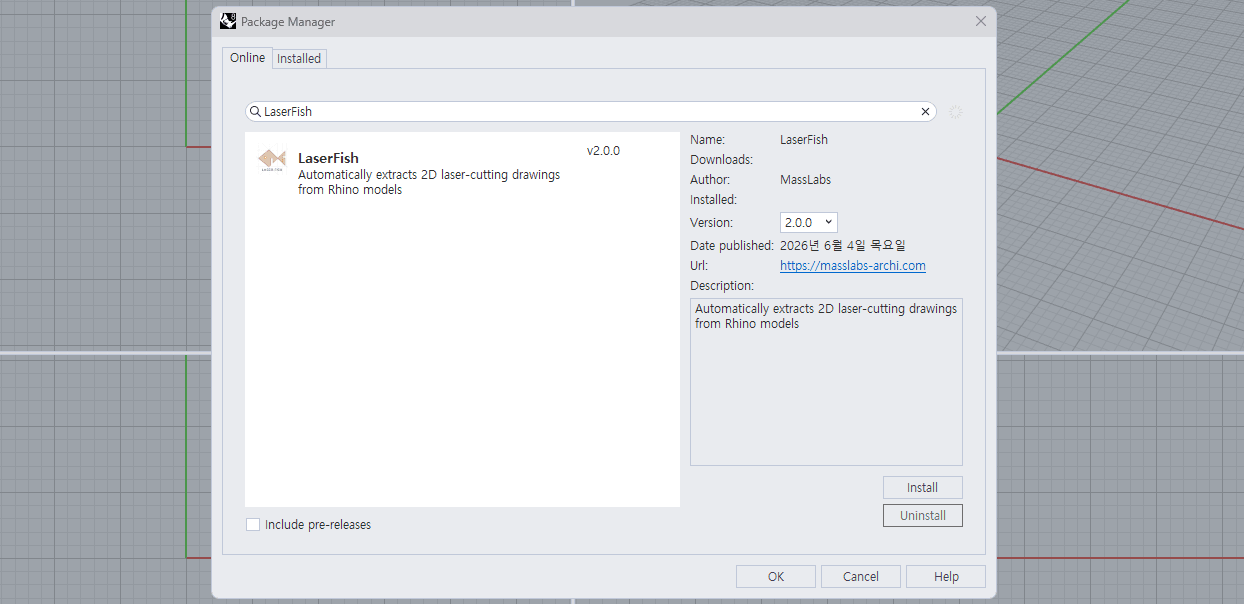
Search LaserFish and Install
Go to Online tab, search for LaserFish, and Install.
03step
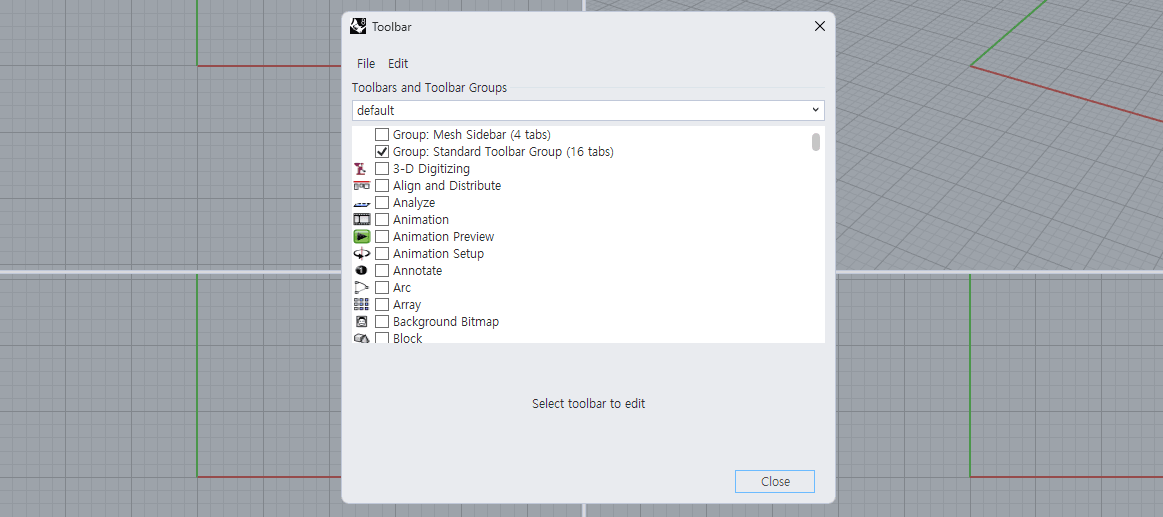
Run the "Toolbar" command
After installation, restart Rhino and run the Toolbar command.
04step
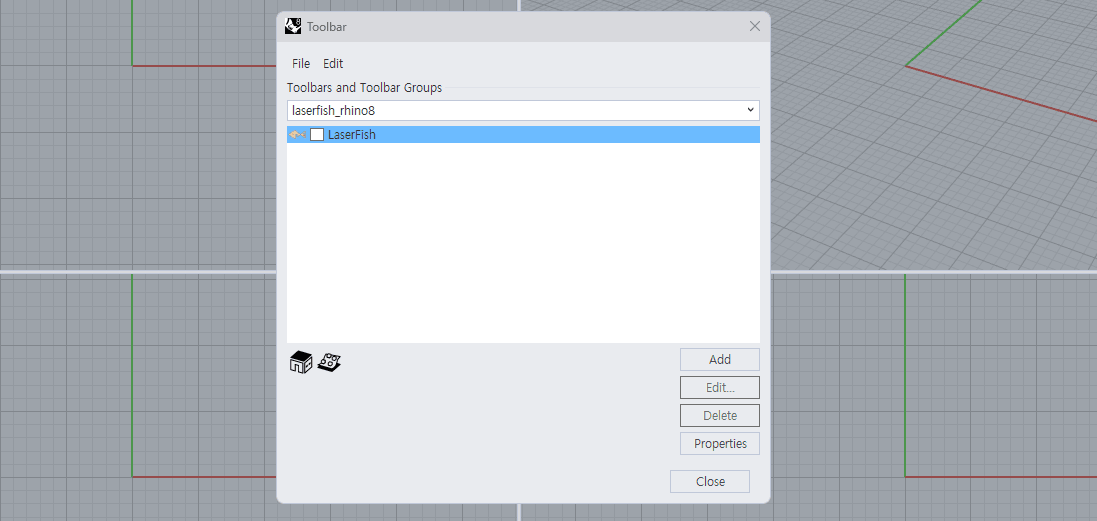
Set the default file to LaserFish
In the Toolbar dialog, change the default file to LaserFish.
05step
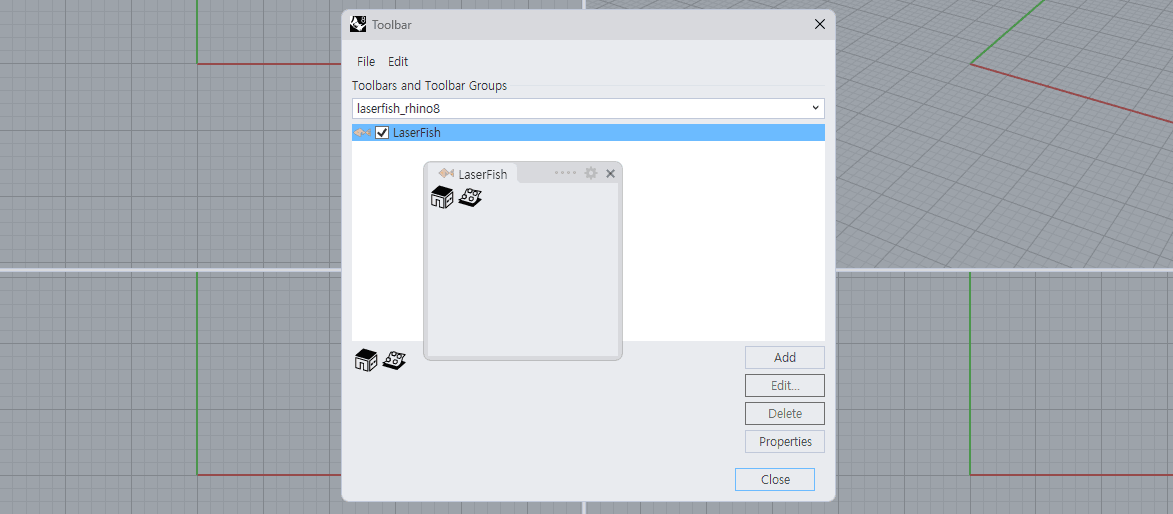
Check the checkbox
Check the checkbox next to LaserFish and the install is done.
If you are using a version older than v2.2.6, update it from the Installed tab in Package Manager. Older versions stop at 95% waiting for a payment window that no longer exists.